Palo Alto Networks Cloud Identity Engine
Palo Alto Networks社のCloud Identity Engine(Palo Alto Networks CIE)の連携設定および属性設定を行います。
Palo Alto Networks CIE連携設定
Palo Alto Networks CIE連携設定では、必要項目の設定と接続テスト、ライセンス設定を行います。
-
-
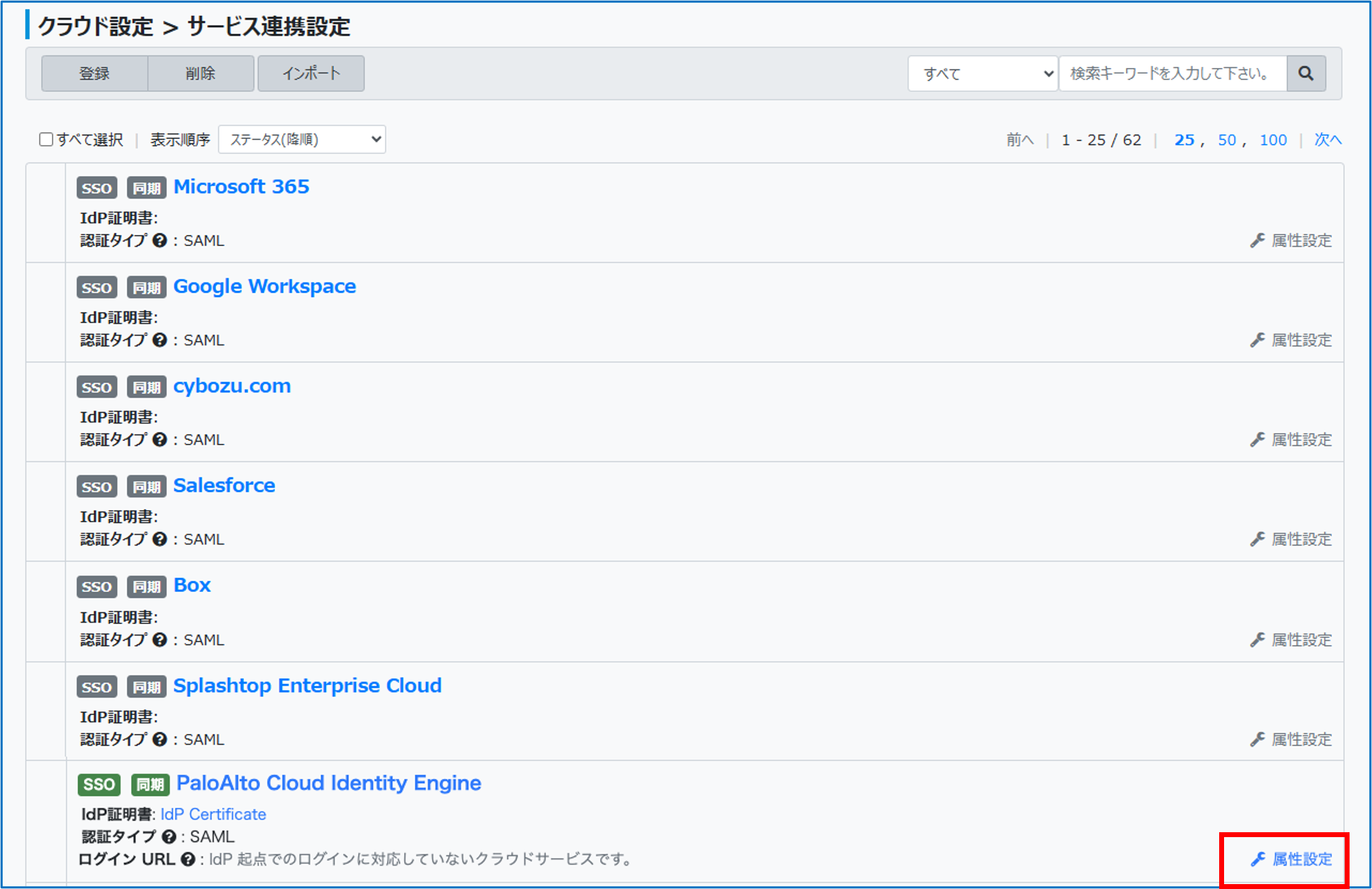
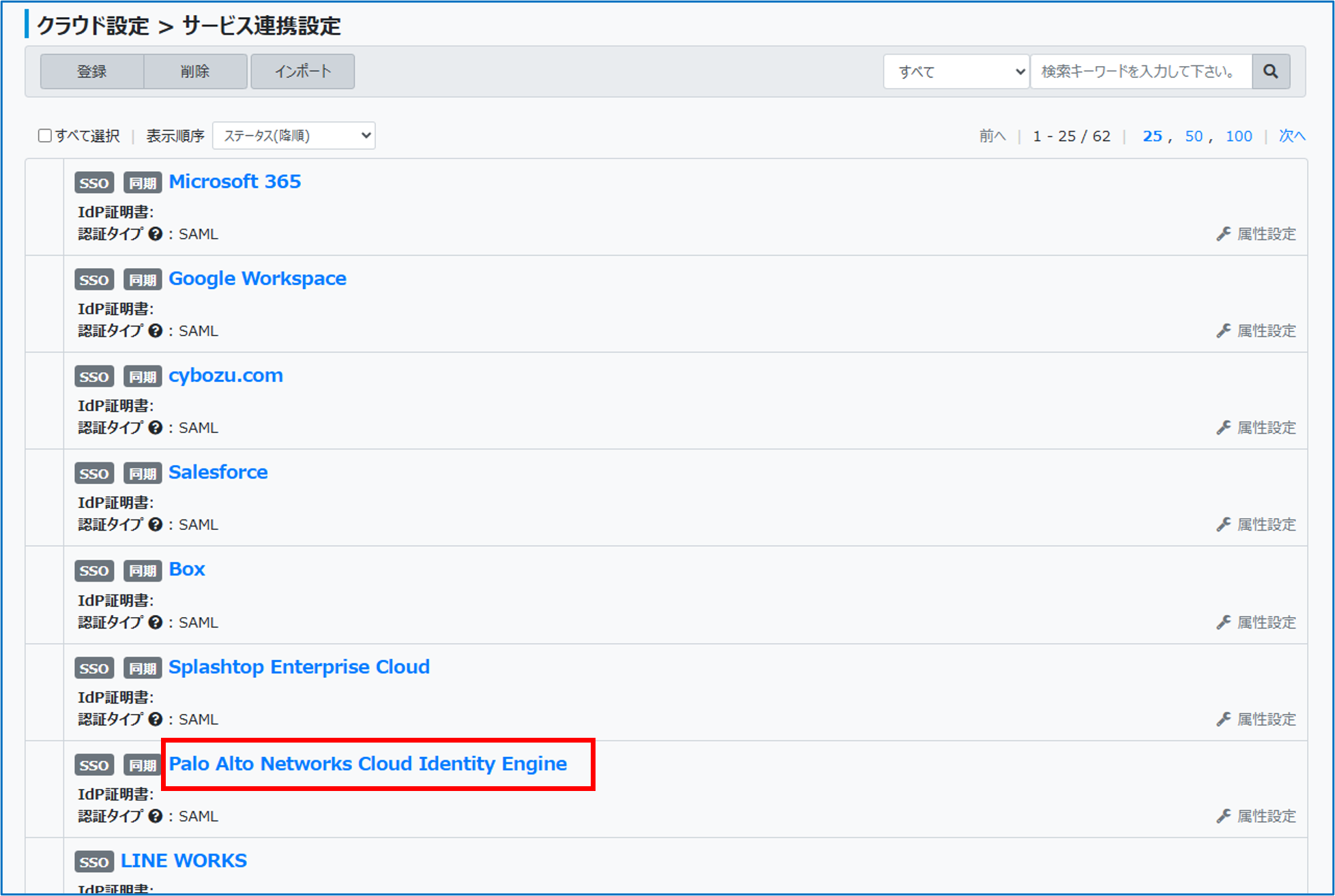
「サービス連携設定」画面のクラウドサービス一覧で[Palo Alto Networks Cloud Identity Engine]をクリックする
-
-
-
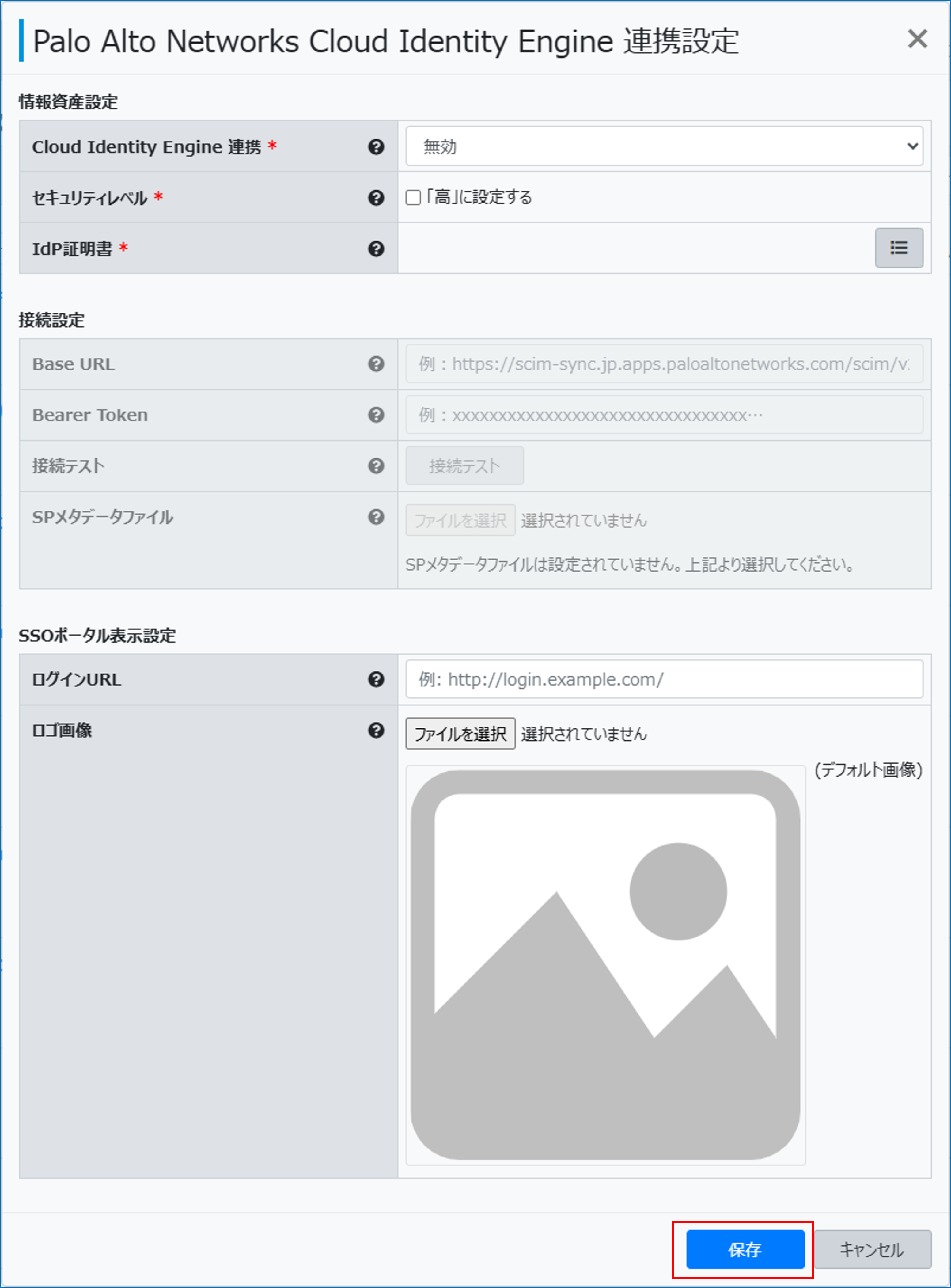
必要な項目を設定し、[保存]をクリックする
-
情報資産設定
|
Cloud Identity Engine連携 |
Palo Alto Networks CIEとの連携の方法を選択します。 |
|---|---|
|
セキュリティレベル |
[「高」に設定する]をチェックすると[システム設定]>[システムポリシー設定]で、信頼できないネットワークからのアクセス拒否や、シングルサインオン時の追加認証要求を行うことができます。 |
|
IdP証明書 |
連携に使用するIdP証明書を選択します。 |
接続設定
|
Base URL |
Palo Alto Networks CIEのSCIM Directory の Base URL を入力します。 |
|---|---|
|
Bearer Token |
Palo Alto Networks CIEとの接続で使用する Bearer Token を入力します。 |
|
接続テスト |
クリックすると接続設定を使用してPalo Alto Networks CIEサービスへの接続を確認できます。 |
|
SPメタデータファイル |
Palo Alto Networks CIEから取得したSPメタデータファイルを指定します。 |
SSOポータル表示設定
|
ログインURL |
SSOポータルに表示するリンクのURLが表示されます。必要に応じて変更することもできます。 |
|---|---|
|
ロゴ画像 |
[ファイルを選択]をクリックし、SSOポータルに表示するリンクの画像を指定します。 |
属性設定
OneGateから情報を設定(同期)するPalo Alto Networks CIE連携の属性を設定します。
-
-
「サービス連携設定」画面のクラウドサービス一覧で[Palo Alto Networks Cloud Identity Engine]の「属性設定」をクリックする
-
-
-
[+]をクリックする
-
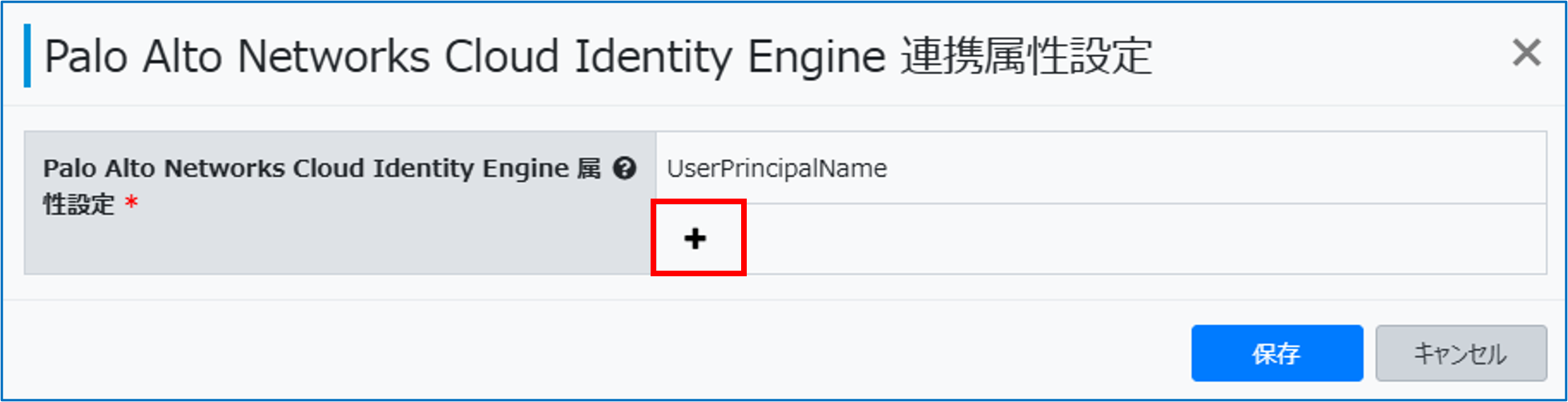
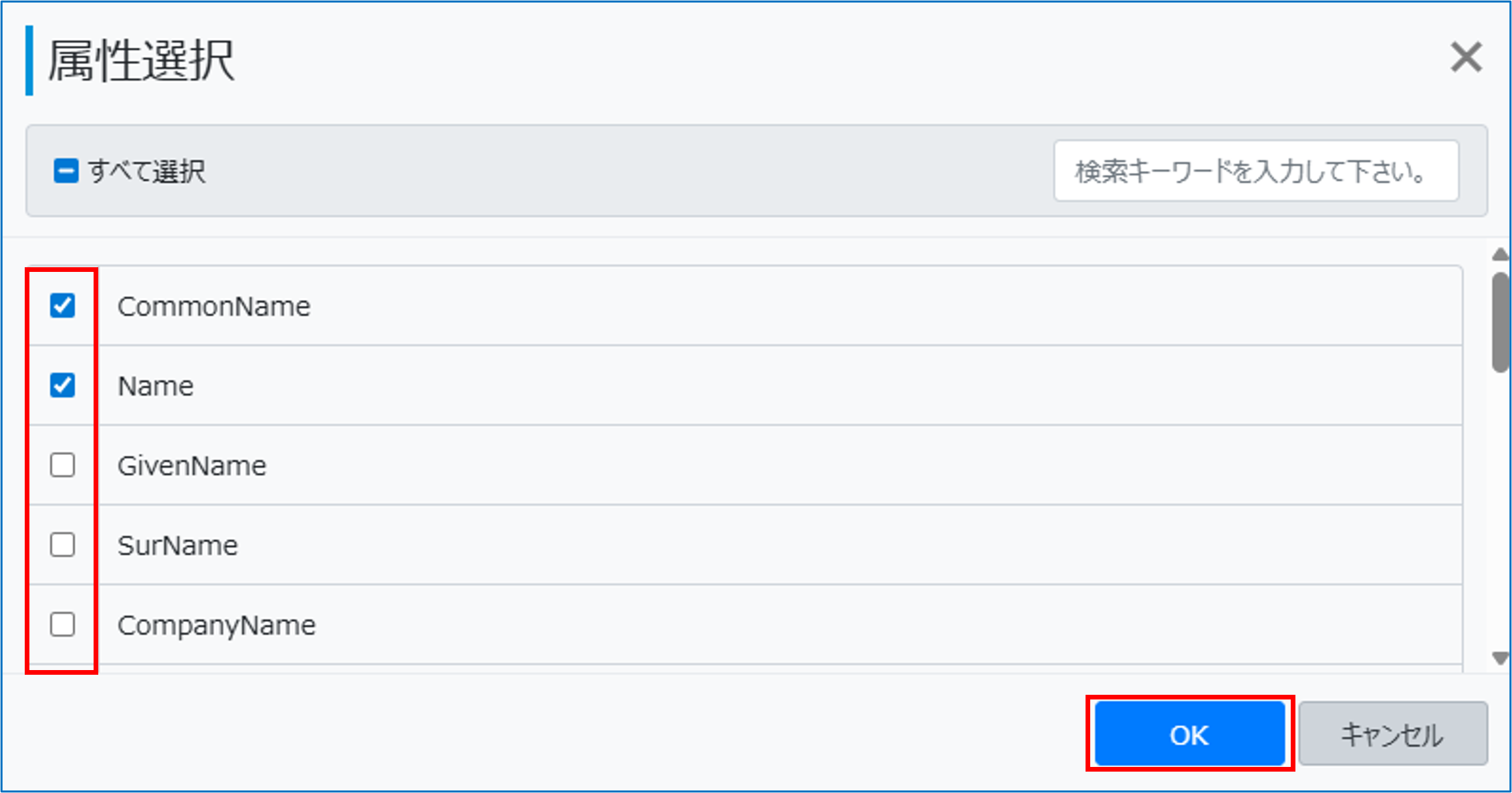
[属性選択]画面が表示されます。
-
-
-
必要な属性項目をチェックし、[保存]をクリックする
-
連携属性名
Palo Alto Networks CIE 属性
説明
UserPrincipalName(アカウント名属性)<必須>
Cloud Identity Engineアカウント ※重複不可
Unique identifier for the user, typically used by the user to directly authenticate to the service provider.
CommonName
addresses_work_formatted
The full name, including all middle names, titles, and suffixes as appropriate, formatted for display.
Name
displayName
The name of the User, suitable for display to end-users. The name SHOULD be the full name of the User being described, if known.
GivenName
name_firstName
The given name of the user.
SurName
name_familyName
The family name of the user.
CompanyName
addresses_work_formatted
The company name of the user.
StreetAddress
addresses_work_streetAddress
The full street address component.
Locality
addresses_work_locality
The city or locality component.
PostalCode
addresses_work_postalCode
The zip code or postal code component.
Country
addresses_work_country
The country name component.
Title
title
The user's title.
Department
enterprise_department
Identifies the name of a department.
EmployeeId
enterprise_employeeNumber
Numeric or alphanumeric identifier assigned to a person, typically based on order of hire or association with an organization.
Mail
emails_work_value
Email addresses for the user.
MobilePhone
phoneNumbers_mobile_value
Mobile phone number for the user.
FaxNumber
phoneNumbers_fax_value
Fax number for the user.
UserType
userType
Used to identify the relationship between the organization and the user.
Typical values used might be 'Contractor', 'Employee', 'Intern', 'Temp', 'External', and 'Unknown', but any value may be used.PreferredName
nickName
The casual way to address the user in real life,This attribute SHOULD NOT be used to represent a User's username.
PreferredLanguage
preferredLanguage
Indicates the User's preferred written or spoken language. Generally used for selecting a localized user interface; e.g., 'en_US' specifies the language English and country US.
Groups
groups ※複数可
A list of groups to which the user belongs.
-